Frequently Asked Questions
Completion requirements
4. Profile
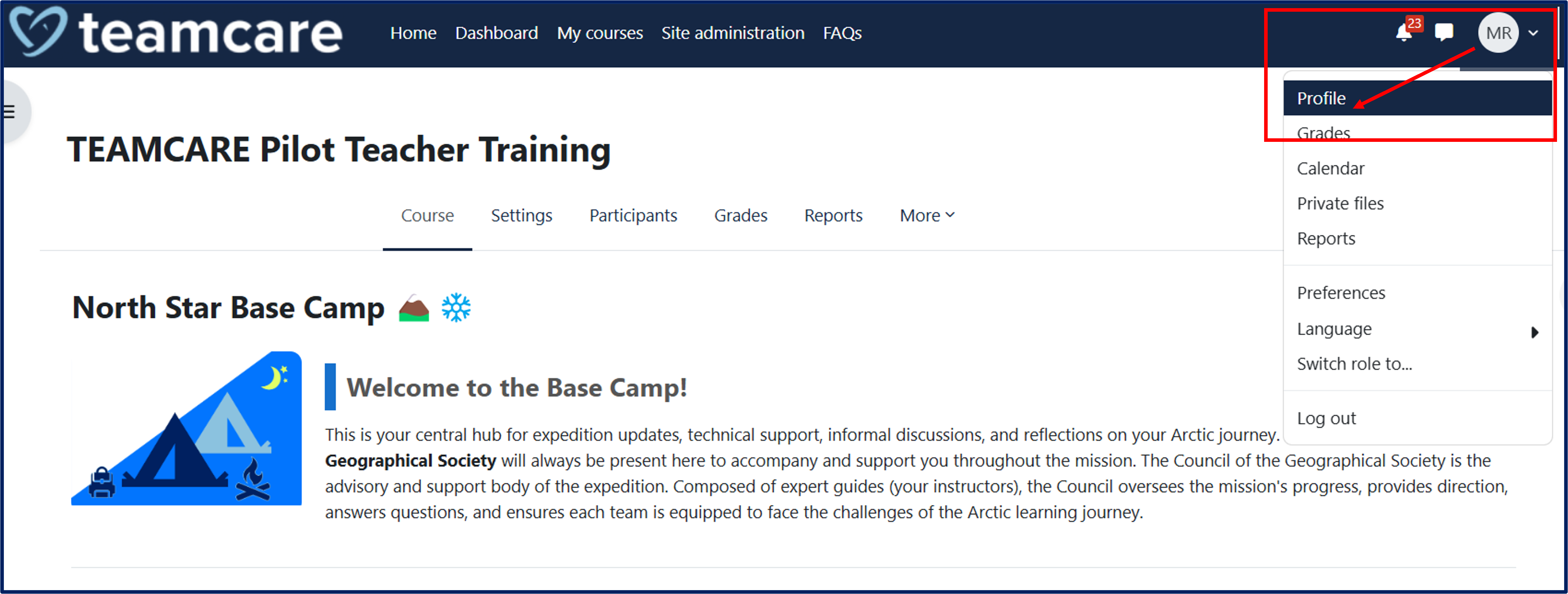
To access your profile, click on the icon with your initials at the top right of the page, then click on "Profile."
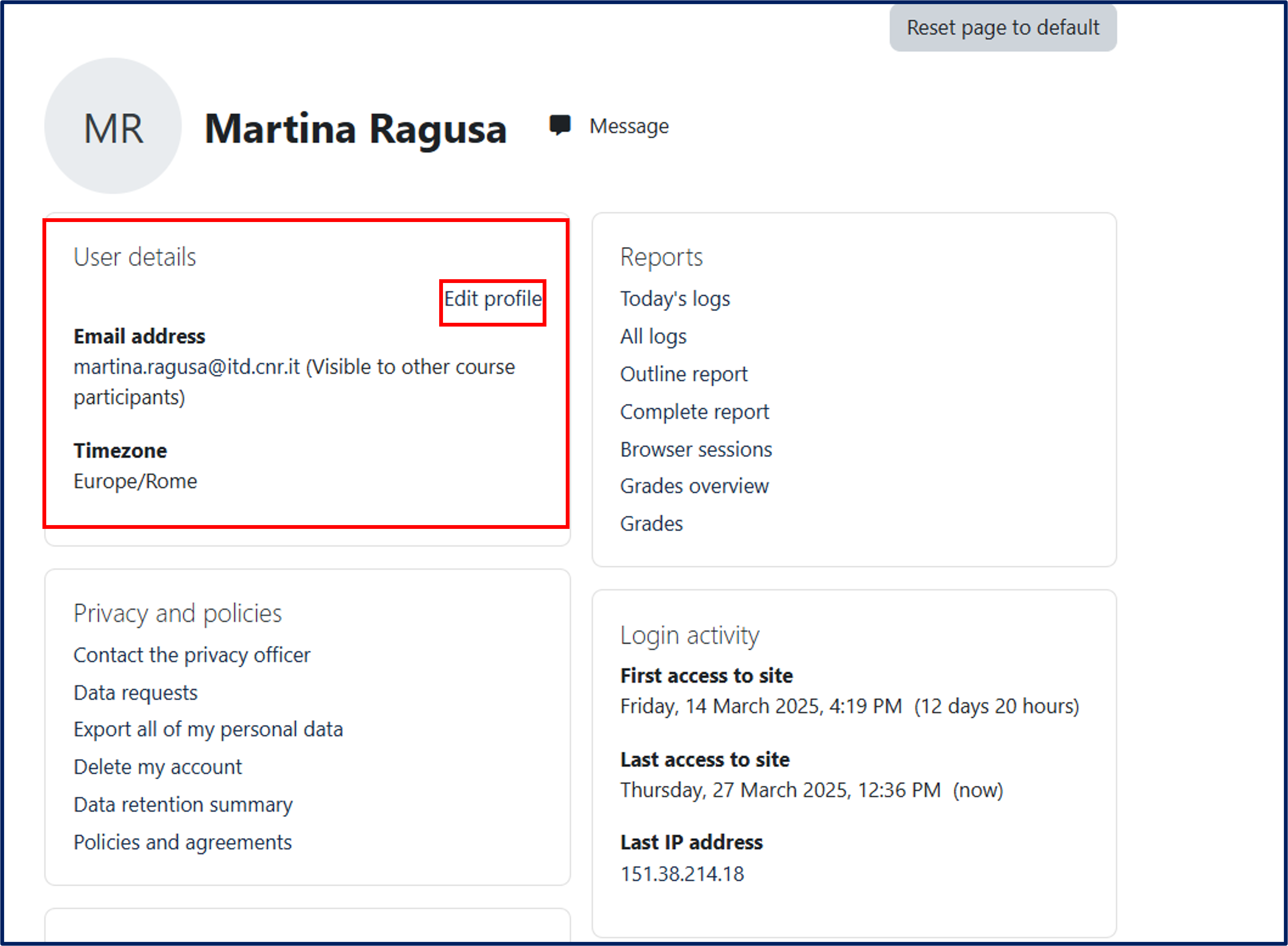
The user Profile page contains, among others, the following information:
User details:
-
The user’s email address
-
A direct link to the Edit profile page
Privacy and policies:
-
A summary of the project’s data retention policies
Miscellaneous:
-
A list of all forum posts and discussions created by the user
-
The user’s earned certificates
-
The user’s blog entries
You can change your profile details by clicking the "Edit" button.
The Preferences page gives users access to various settings they might wish to edit, such as:
-
Profile information
-
Currently set password
-
Preferred language
-
Forum preferences
-
Notification settings
-
Blog preferences