Frequently Asked Questions
8. Quiz

The Quiz activity module allows the teacher to design and build quizzes consisting of a large variety of question types, including multiple choice, true-false, and short answers.
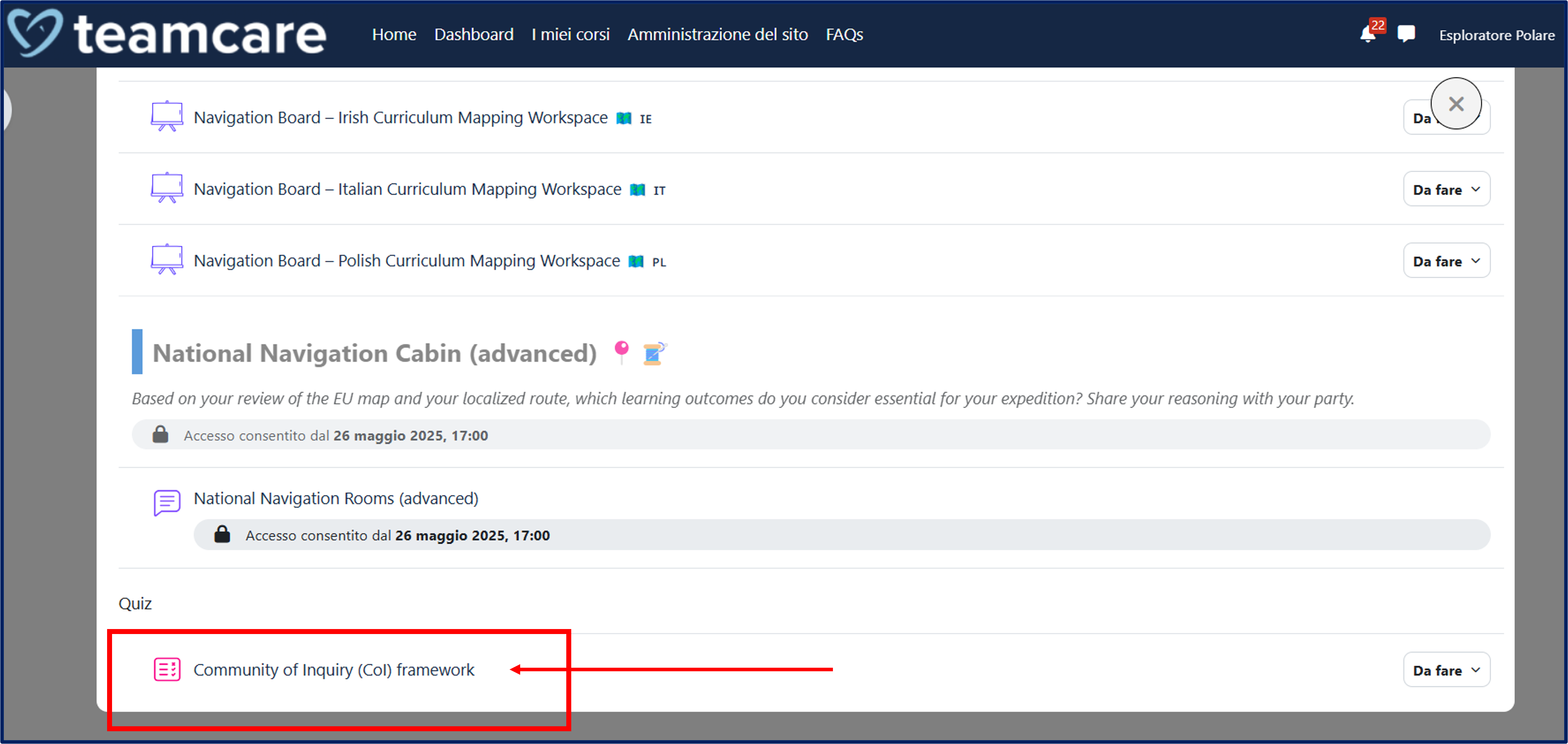
To access a quiz on the platform, click on the Quiz title in the homepage of the course.
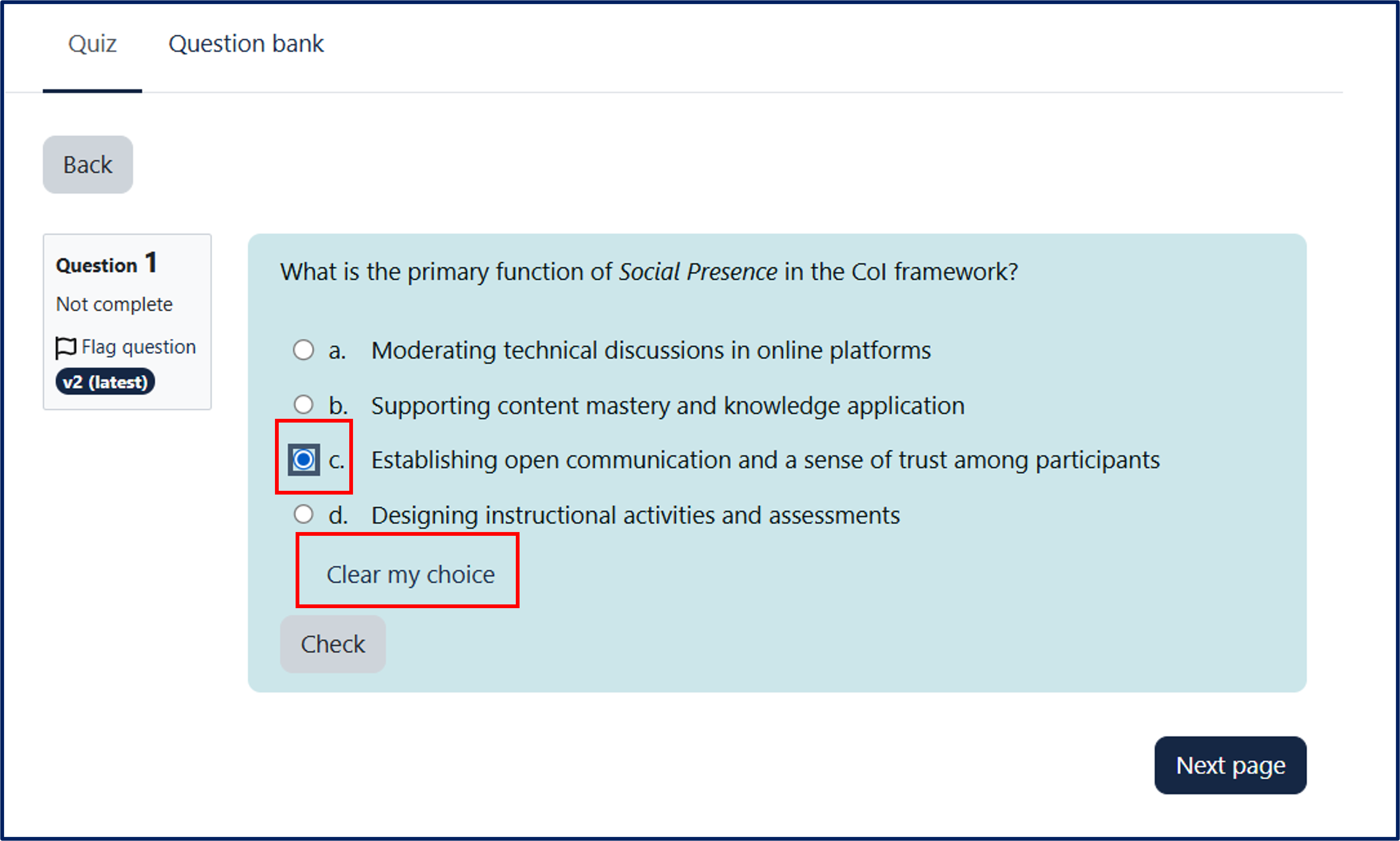
The quiz consists of multiple-choice questions.
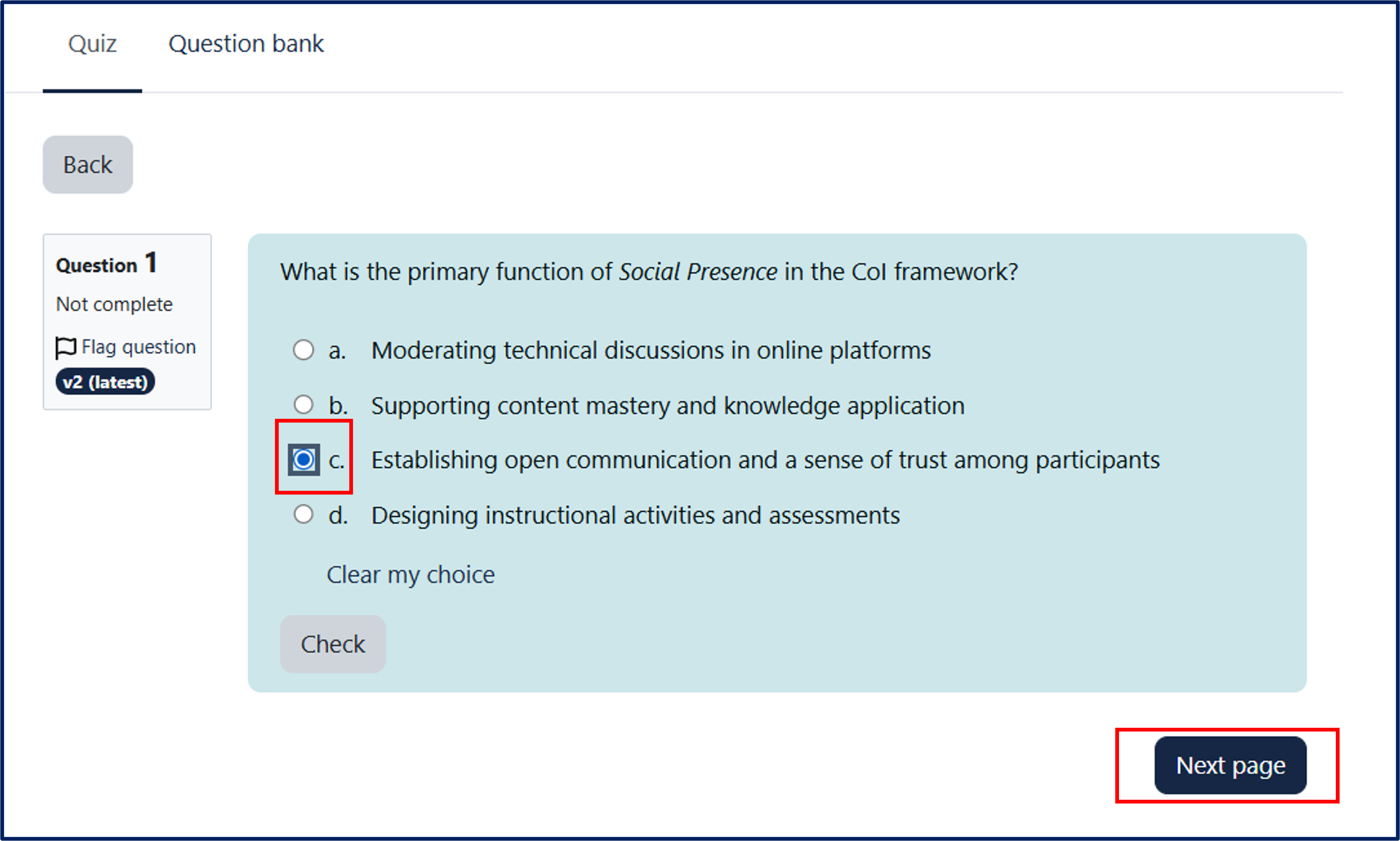
Once you have selected an answer option, you can cancel your choice and select another answer by clicking "Clear my choice."
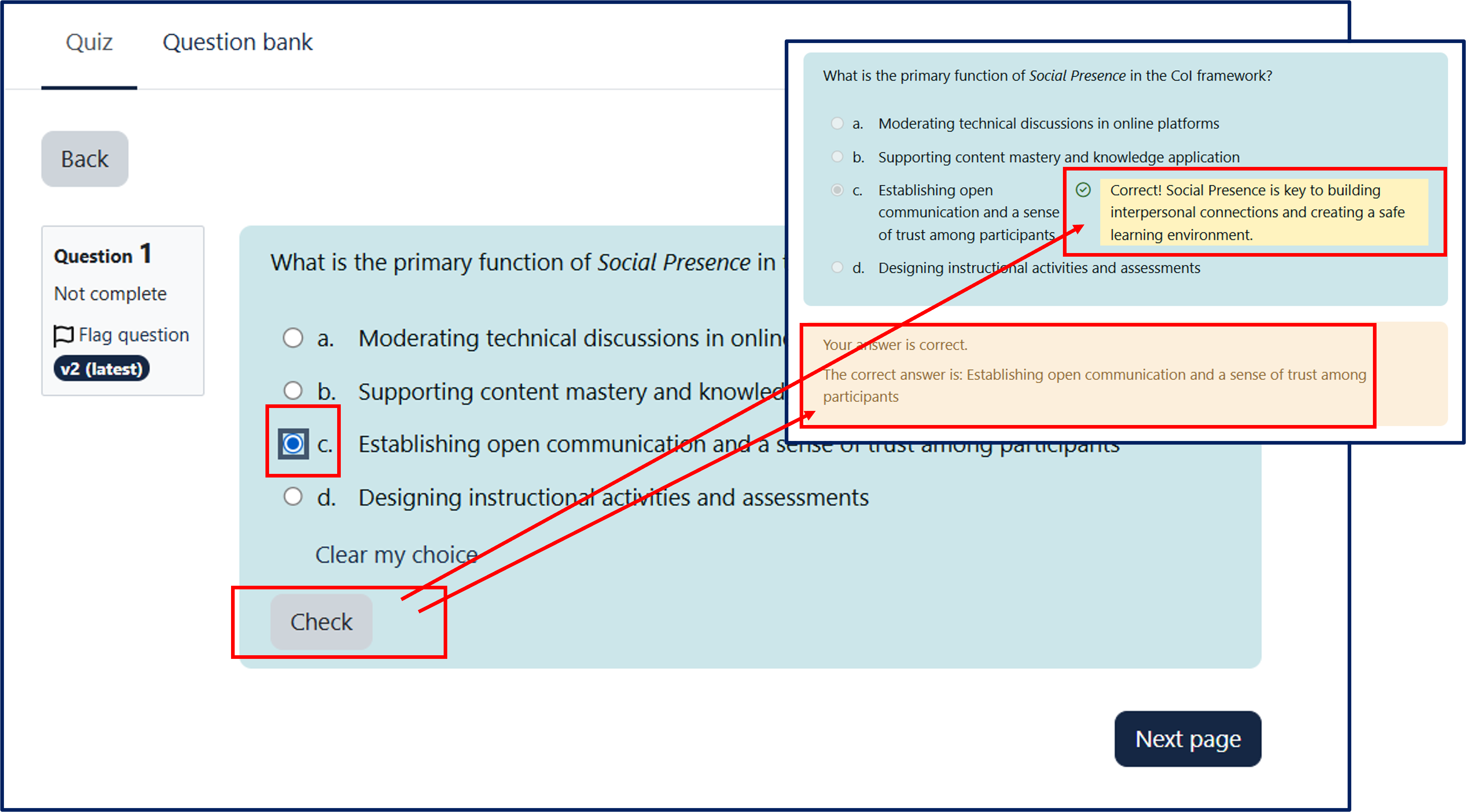
By clicking the "Check" button, you can immediately verify whether your answer is correct or incorrect.
Immediate feedback will appear next to the selected answer.
You can also proceed directly to the next question by clicking the "Next page" button.
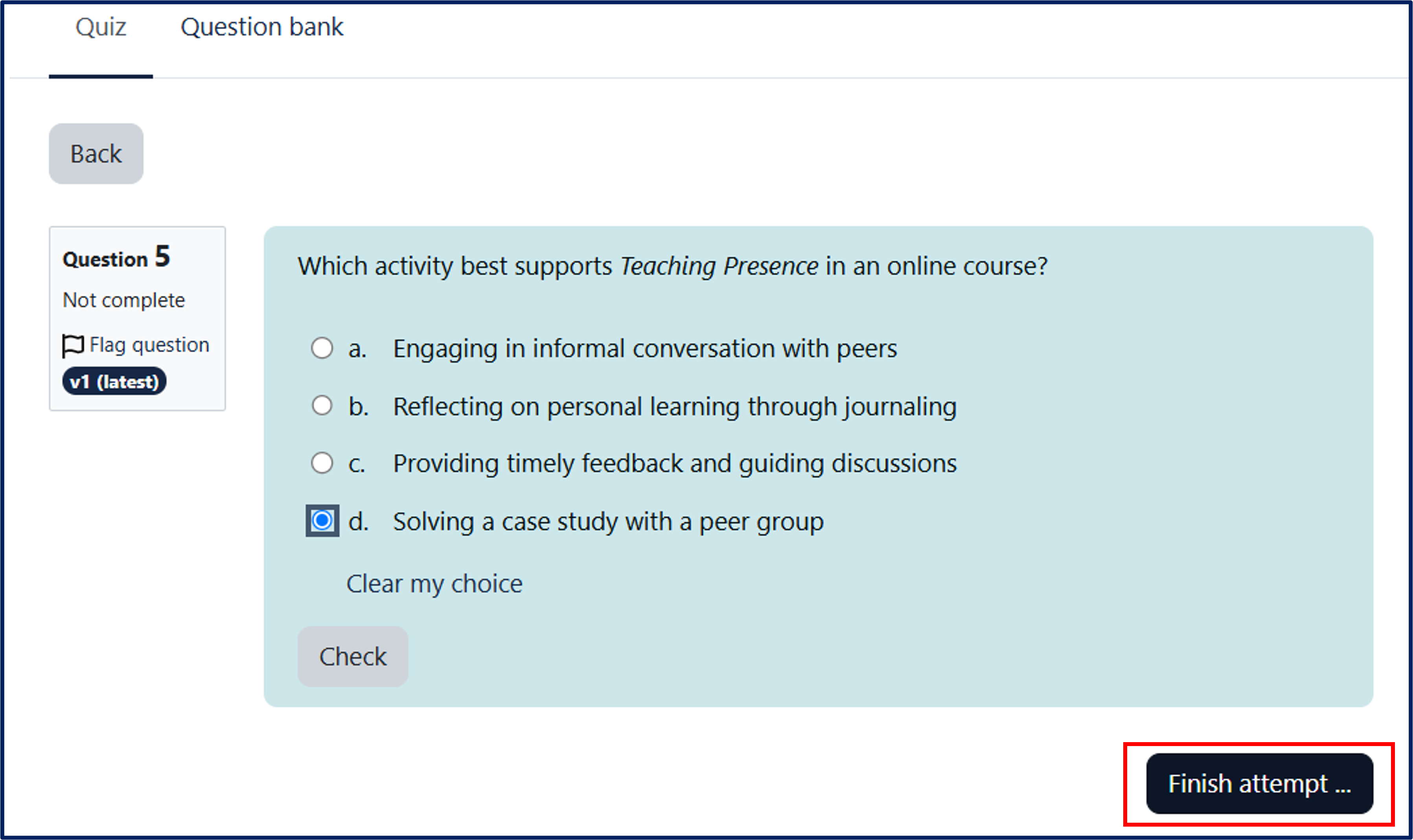
At the end of the quiz, click "Finish attempt."
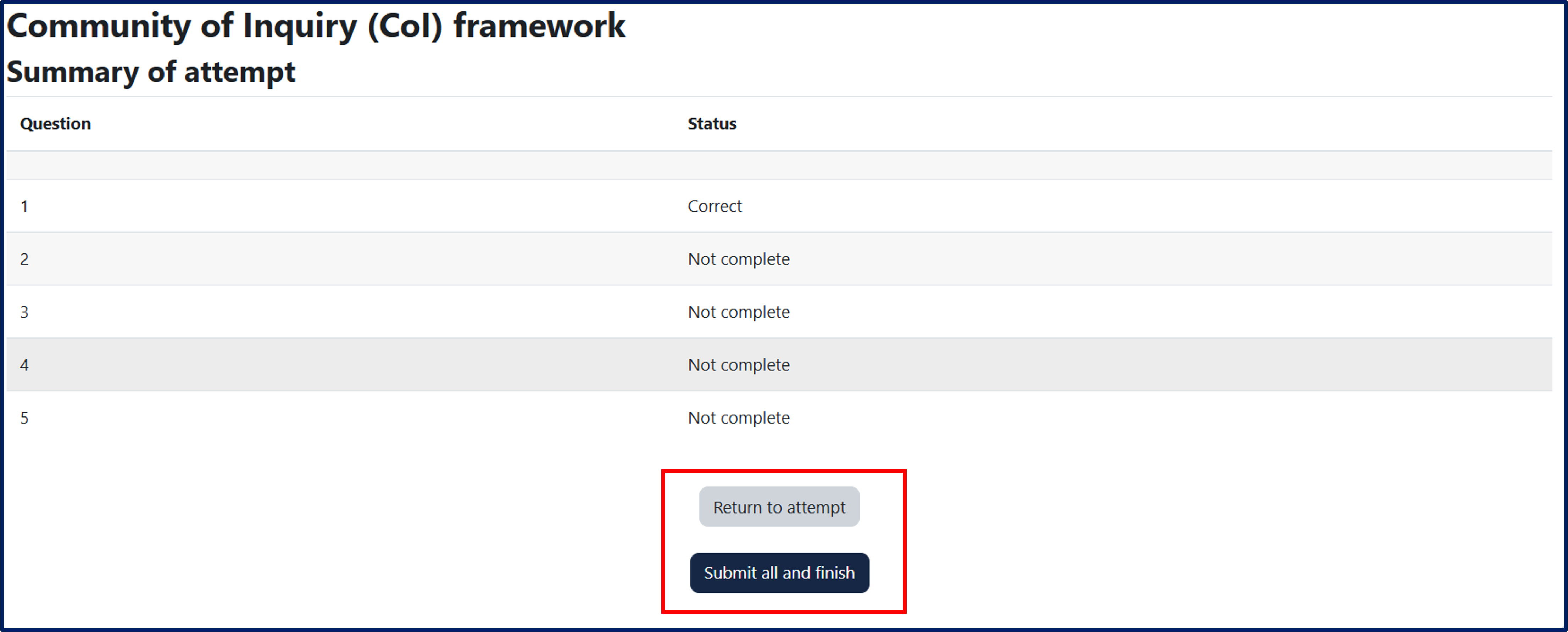
A table will appear with a summary of the answers given and/or not given. At the bottom, there are two buttons:
- "Return to attempt" to go back to the last question of the quiz.
- "Submit all and finish" to complete and submit your attempt permanently.
A pop-up will appear to confirm the choice ("Submit all and finish") or cancel the action ("Cancel").
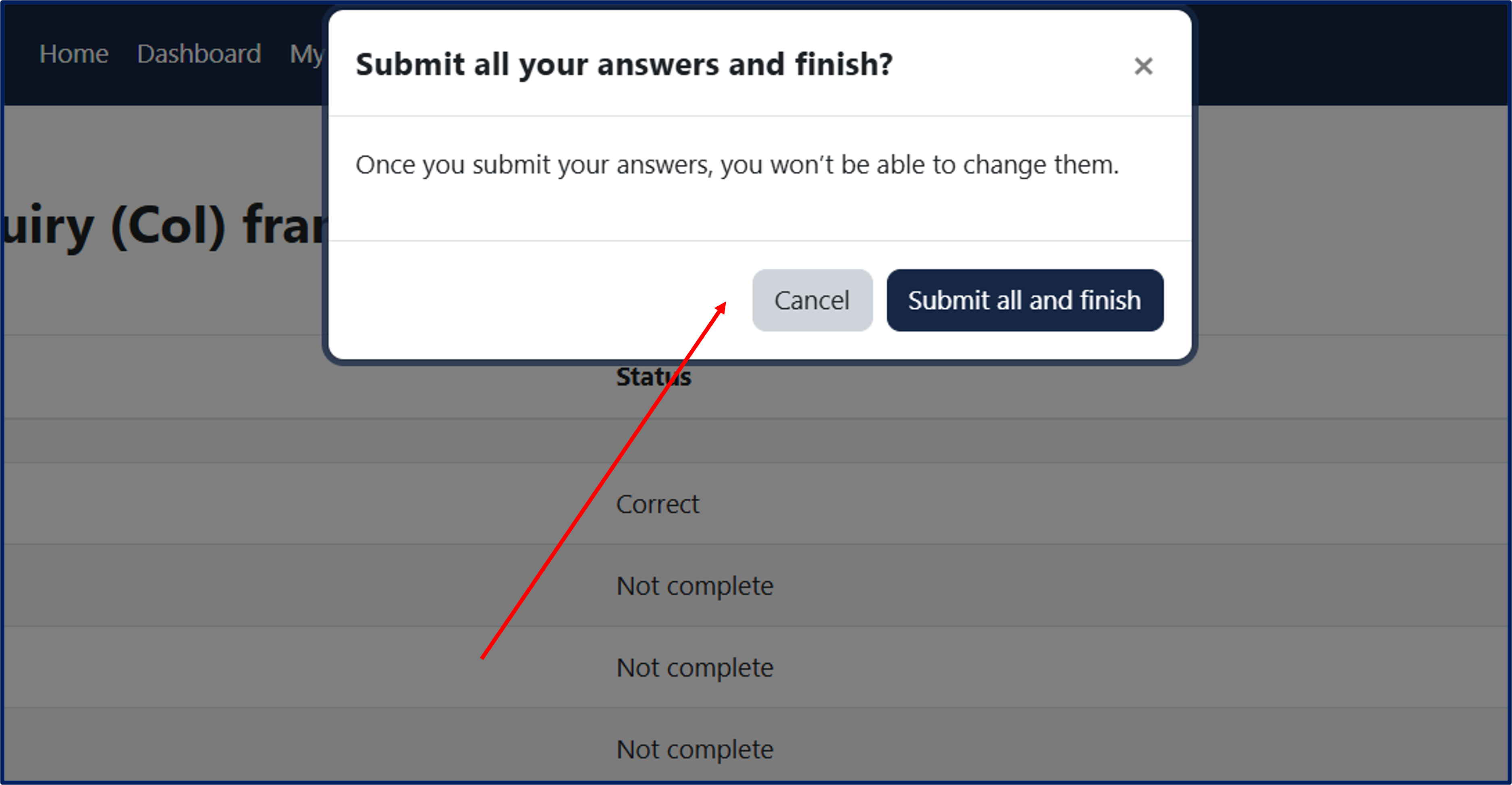
Clicking "Submit all and finish" will allow you to review your attempt.
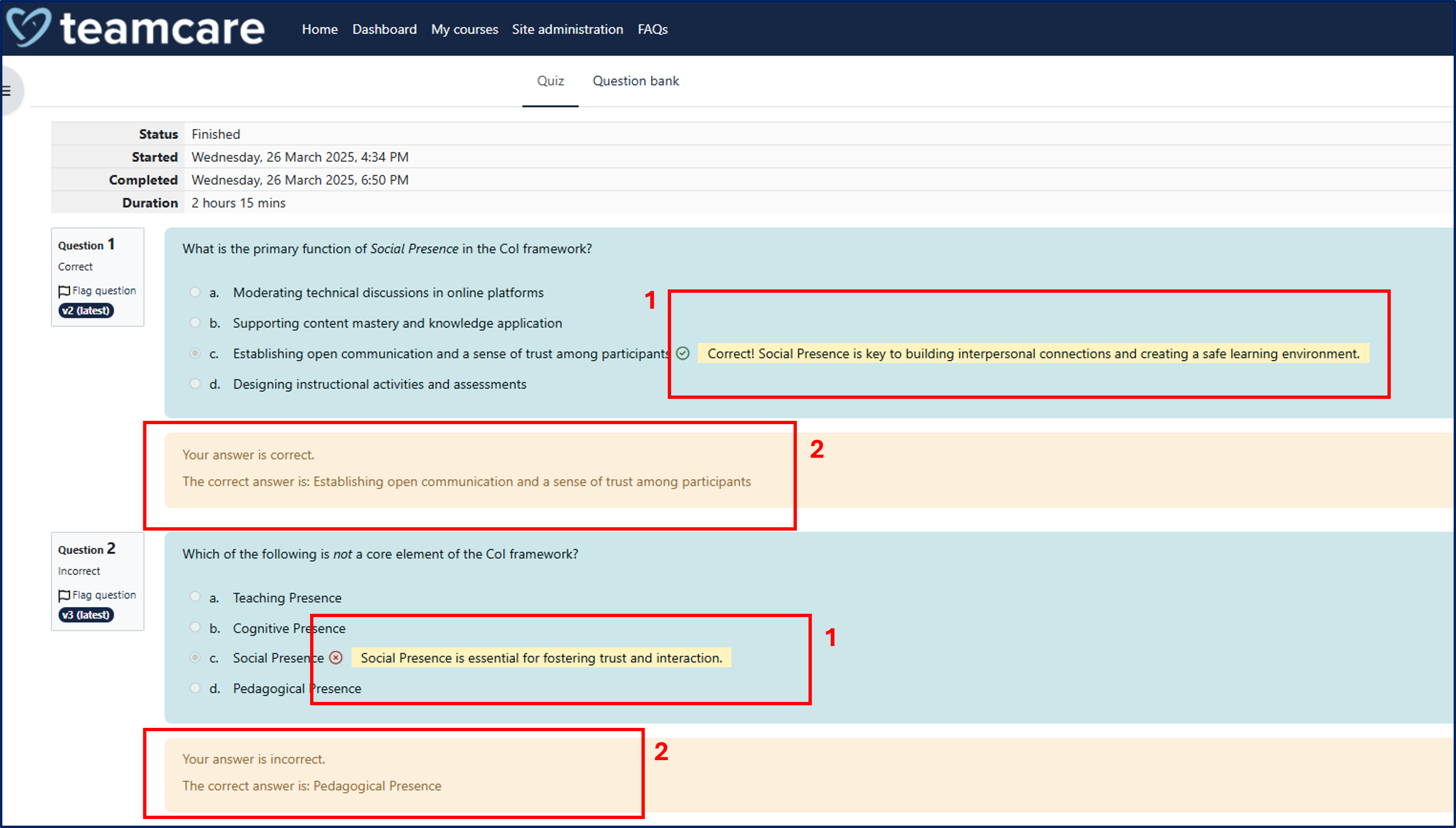
For each question, your given answer will be displayed with:
- Specific feedback explaining why the answer is correct or incorrect.
- General feedback indicating the correct answer option.
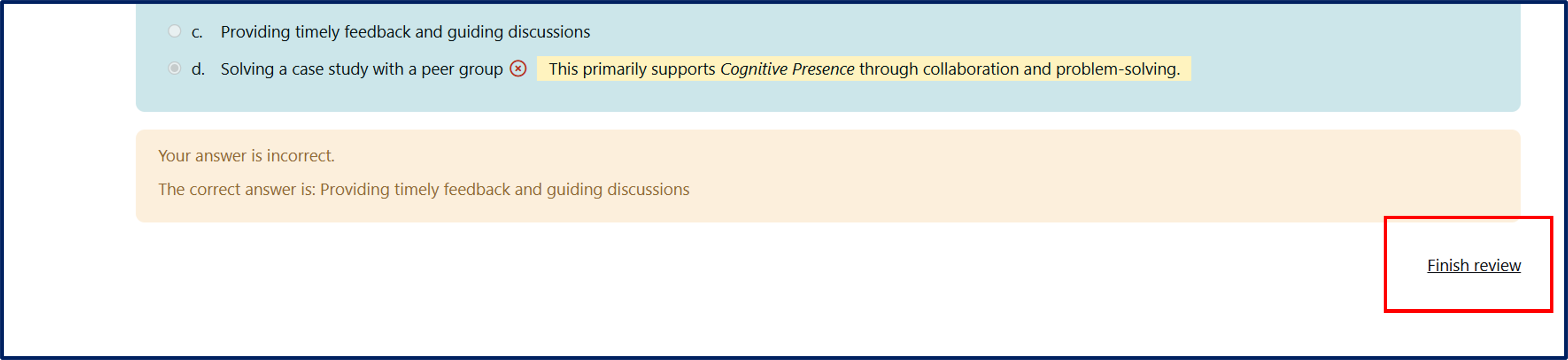
Clicking "Finish review" at the bottom right of the page will close the attempt review.
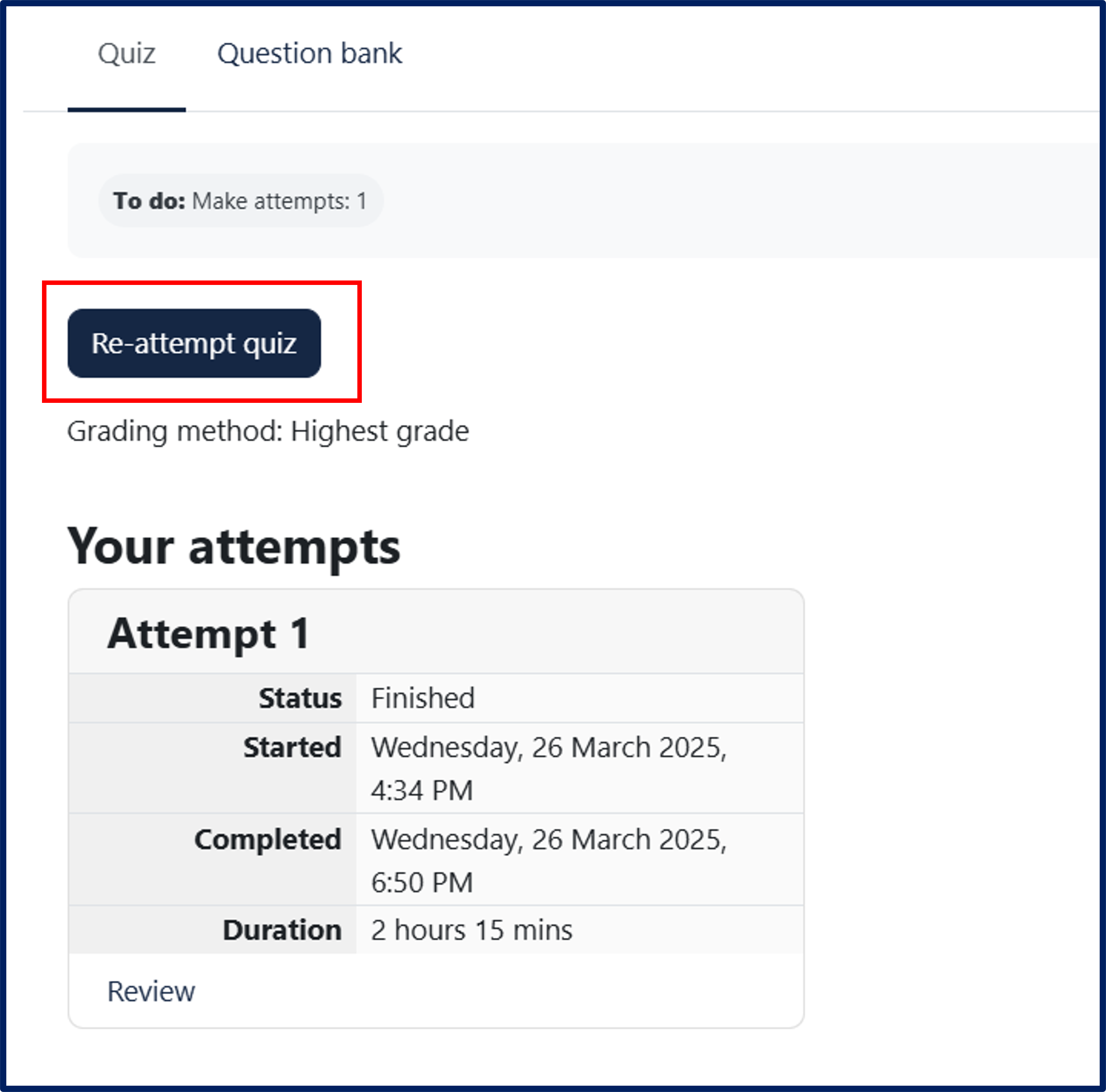
Multiple attempts are allowed for each quiz.
The platform includes different types of questions:
- Multiple Choice
- True or False
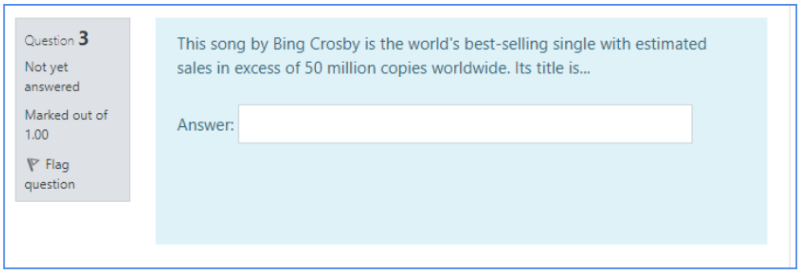
- Short Answer
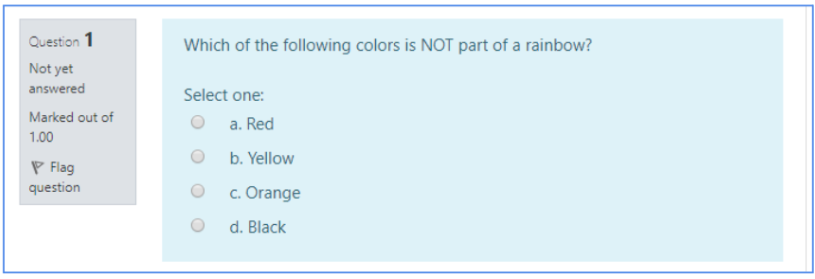
Multiple Choice (only one correct answer)
These questions allow one and only one answer to be chosen by selecting the radio button next to the answers.
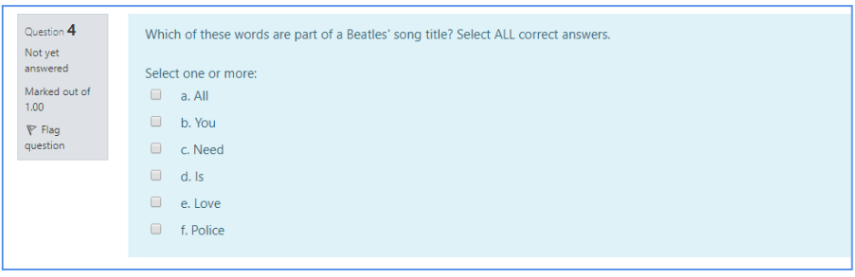
Multiple Choice (more than one correct answer)
The only way to get this right is to pick ALL the correct answers, by clicking on the checkboxes next to them.
True or False
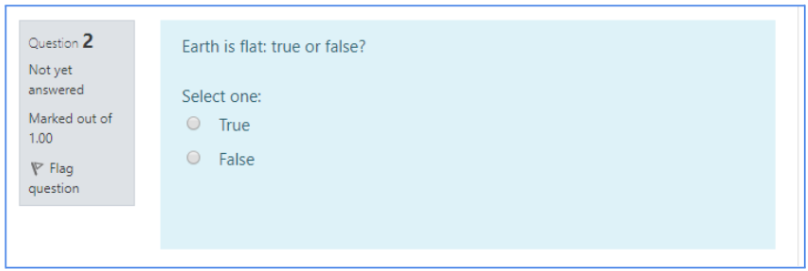
A participant is given only two choices for an answer in this kind of question: True or False.
Short Answer
To reply to a Short Answer question, type a word or a brief phrase in response to a question in the provided text field. Answers must match exactly the expected solution and are NOT case-sensitive (i.e. WHITE CHRISTMAS and white christmas are both correct answers to the example below because the expected solution set by the tutor is “White Christmas,” while White Xmas is not a valid answer).